Now on the App Store

Every rep you log
keeps building forward.

Switch gyms, switch machines — your weight logs never get confused. Start simple, and let it grow into a record that's truly yours. No account needed to start right away.

⚠️ The App Store link may not open correctly in this browser. Please tap the ••• menu (top right) and choose "Open in Browser" first.
Download on the App Store

Logs by gym and machine

The same exercise can mean a different weight on a different machine. Keep your logs separate by location, so switching between gyms never breaks the comparison.

A UI that grows with you

Start simple with just weight and reps. As you use it more, add RPE, notes, per-set targets, and more — only as detailed as you need.

Start instantly, no account needed

Your logs are saved right on your device. With no sign-up wall in the way, you can start tracking the moment you feel like it.

Log whole workouts with just your Apple Watch

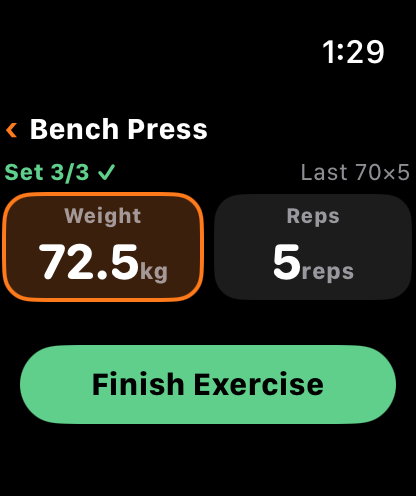
Start to finish on your wrist, no need to take out your iPhone. Adjust weight and reps with the Digital Crown, and log in one tap when you hit your target. Time cardio with a stopwatch and keep heart rate and calories along with it. You can also join a workout you started on the iPhone, partway through.
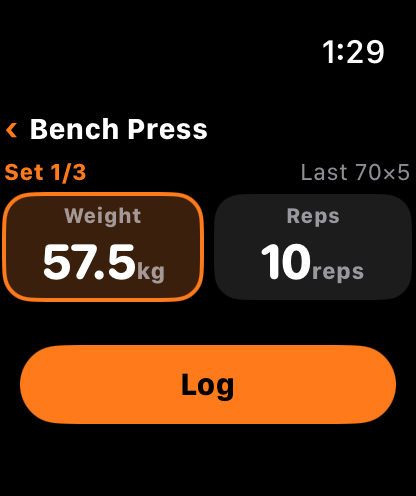
Logging a set on Apple Watch
The Finish Exercise button after reaching the target

See how it works on Apple Watch →

Look back on your training with charts

The Analysis tab reviews your log from three angles: your training as a whole, one body part, and one exercise.

  • Trends: what share of your sets went to each body part, and how often you train over time.
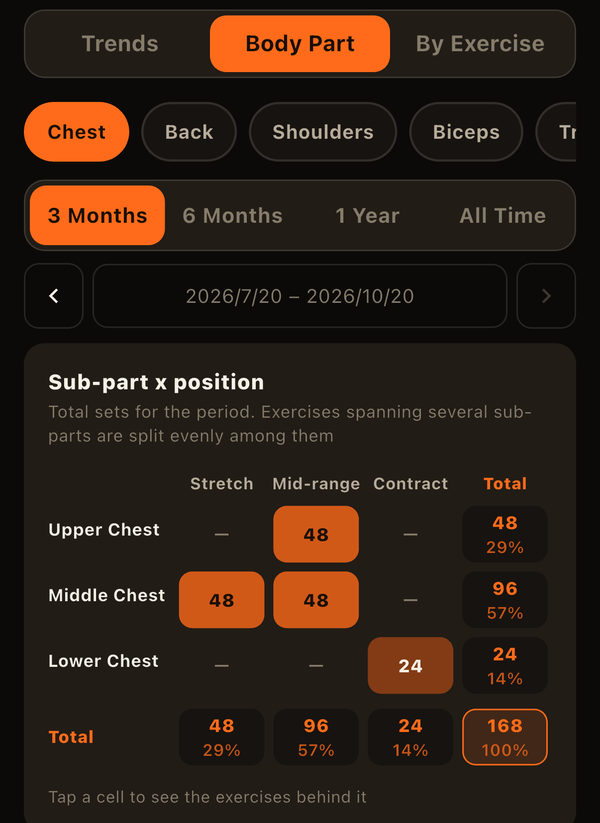
  • Body Part: one part broken down by exercise, sub-part, and position (stretch, mid-range, contract), so imbalances stand out.
  • By Exercise: pick two of estimated 1RM, volume, sets, body weight, and body-part size, and overlay them on one chart. Plus left/right trends and your PR history.

Seeing your training next to how your body changed — "did my chest grow while my bench press 1RM went up?" — is what sets LiFTY apart. Overlaying two measures and periods of 6 months or more are part of the paid plan (the last 3 months are free).
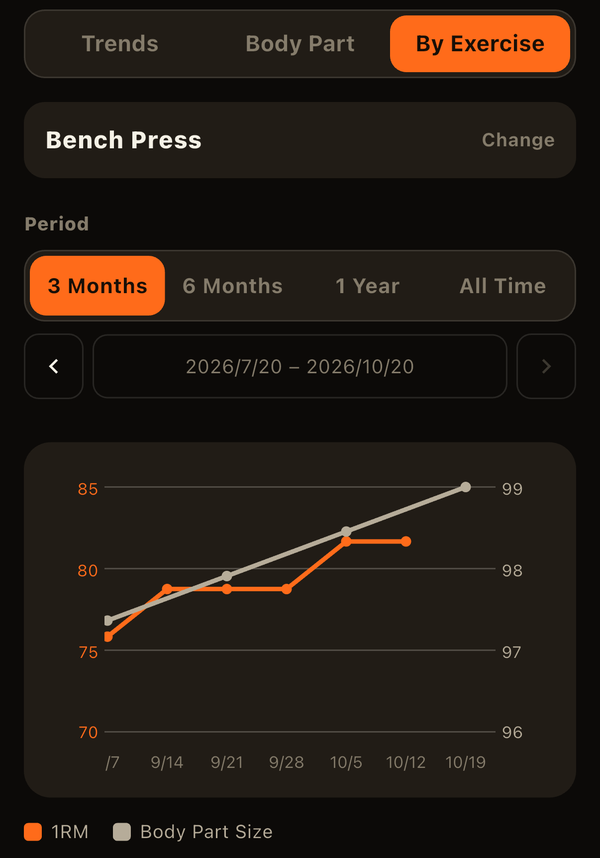
By Exercise view overlaying bench press estimated 1RM with chest size on one chart
Body Part view breaking chest sets down by sub-part and position

See how to use the Analysis tab →

Your log grows the more you use it

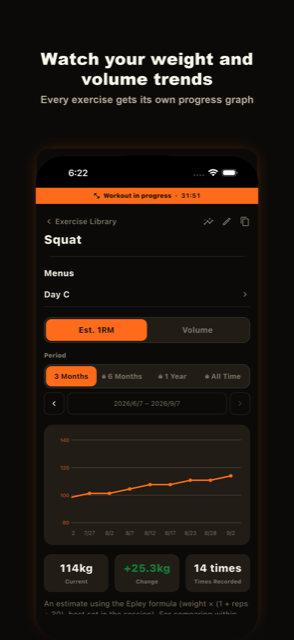
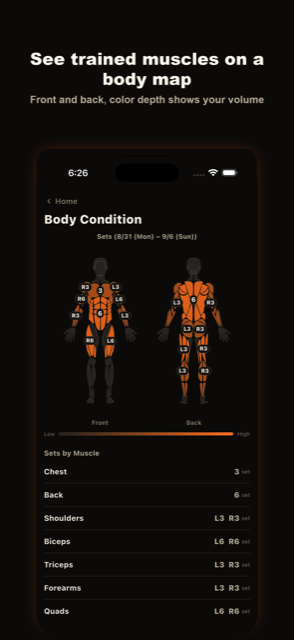
From per-gym and per-machine tracking to weight/volume trends and a visual breakdown of trained muscles.
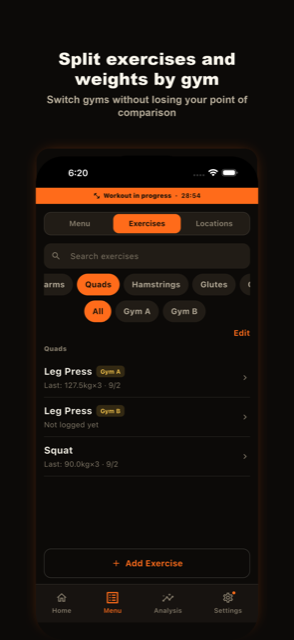
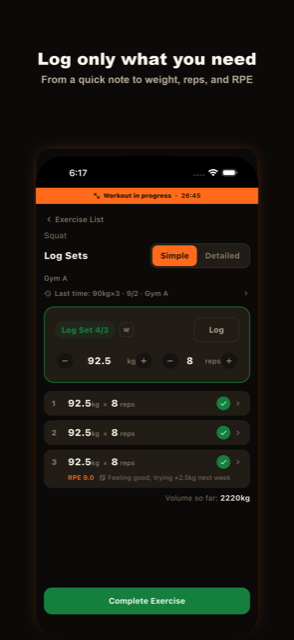
Screen showing exercises and weights tracked separately by gym Set logging screen with only the fields you need Screen showing weight and volume trends as a graph Screen showing trained muscles on a body diagram

Frequently Asked Questions

Do I need to create an account?

No. You can start logging workouts right after installing LiFTY.

Your records are saved on your device, and you can keep using the app without ever logging in. Logging in is optional — it's only needed if you want cloud backup and restore-on-device-change, which are premium plan features.

Where is my workout data stored?

Your workout data is stored on your device by default (the local database is encrypted). Only when you're logged in with a premium plan is it also synced to the cloud in the background.

I use multiple gyms — can I keep weight records separate for each?

Yes. By registering the same exercise separately for each gym, you can keep weight records distinct per location. The free plan allows up to 2 registered locations.

What's the difference between the free and premium plans?

Premium adds cloud sync & backup, unlimited locations, unlimited menus, an ad-free experience, extra color themes, full access to the Analysis tab, and CSV data export. Core features — logging, progress graphs, and the calendar — stay free.

Will I lose my records if I cancel the premium plan?

No, your records stay intact. If your locations or menus exceed the free plan's limit after cancelling, the most recently added ones are archived (not deleted) — your workout history is preserved.

Can I switch the display language to English?

Yes. Go to Settings > Language to switch between Japanese and English within the app, independent of your device's system language.

Now on the App Store

LiFTY is free to download. Log weights by gym and machine, and watch your records grow the more you use it.

Download on the App Store