
Home is where you see today's log and the progress you have built up. This page explains each card, the record calendar, and past records.
Streak card
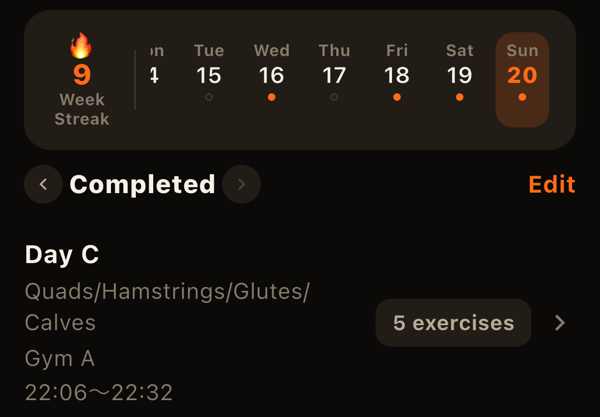
The number next to the flame is how many weeks in a row you logged at least once, with weeks starting on Monday. Because rest days are part of lifting, LiFTY counts weeks rather than days. If you haven't logged yet this week, your streak from previous weeks is not broken.
The date strip on the right shows recent days with a dot for days you trained. Tap a date to switch the "Completed" section and the cards below to that day. You can also swipe left or right, and tap "Back to today" when viewing another day.
Completed
Sessions completed on the selected day are listed as "1st," "2nd," and so on. Each row shows the menu name, body parts trained, time of day and location, and the number of exercises. Tap one to see and edit that day's record.
Personal best card
If you set a personal best on the selected day, it appears here. Three measures are checked per exercise (per side for left/right exercises) against everything before that day:
- Estimated 1RM: estimated from your best set with the Epley formula.
- Actual 1RM: the heaviest single rep.
- Volume: weight x reps summed within one exercise in a session.
Move back through the dates to see when you set each personal best.
Body-part condition card
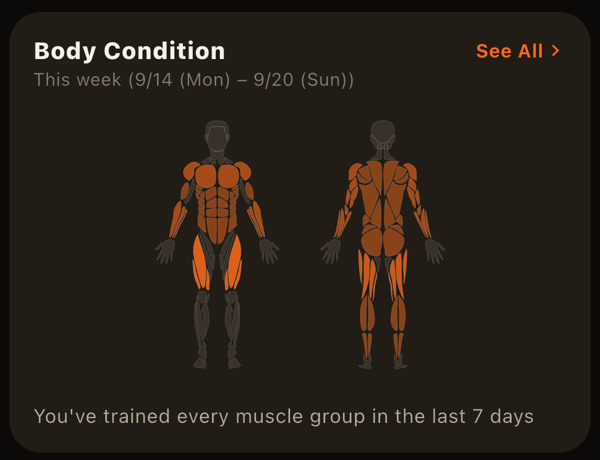
A body figure shows which parts you have trained and how much. It covers the week (Mon-Sun) of the selected day: sets per part, and days since each part was last trained. "See all" opens a full screen where arms, legs, and shoulders show left and right set counts separately.
Choosing which cards to show
The goals card and the body-part condition card can be shown or hidden. Use "Edit Home cards" at the bottom of Home, or Settings > Home cards.
Record calendar
Open it with the calendar icon at the top right of Home.
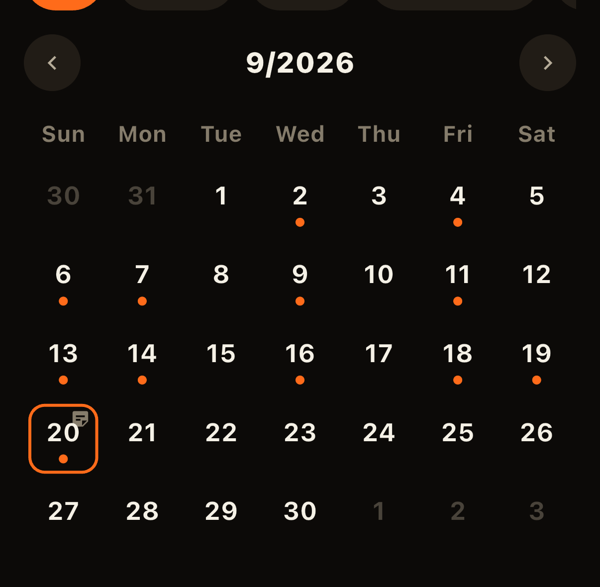
- Month view: days with records get a dot. Body-part chips can be combined to show only days you trained those parts. Rest days use a differently colored dot, and days with notes show a note icon. Tap a date to see that day's records.
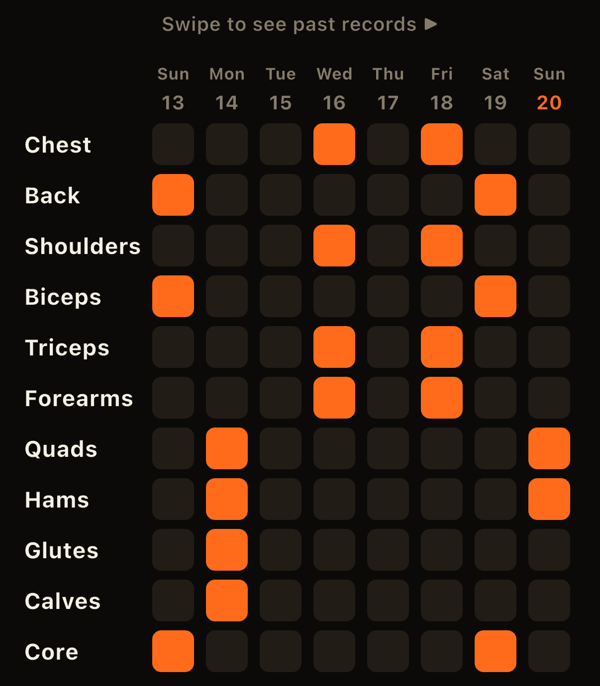
- By Body Part: a matrix with body parts down the side and the last 60 days across, filled in where you trained. It makes imbalances easy to spot.
Editing and sharing past records
Tap a date in the calendar or a session on Home to open the past record.
- Turn on "Edit" to add or remove exercises, delete the whole session, change its location, or edit its note. Open an exercise row to fix weights and reps.
- "Save as menu" builds a new menu from that day's workout.
- "Share this workout" creates a card with body parts, exercises, sets per part, and personal bests, and shares it as an image or text.
LiFTY is a workout log you can start using right away, with no account required.
Download on the App Store